Help with the details.
Get NetSuite-specific completion, documentation and inspections in your editor. Follow local script IDs and File Cabinet paths without searching through XML by hand.
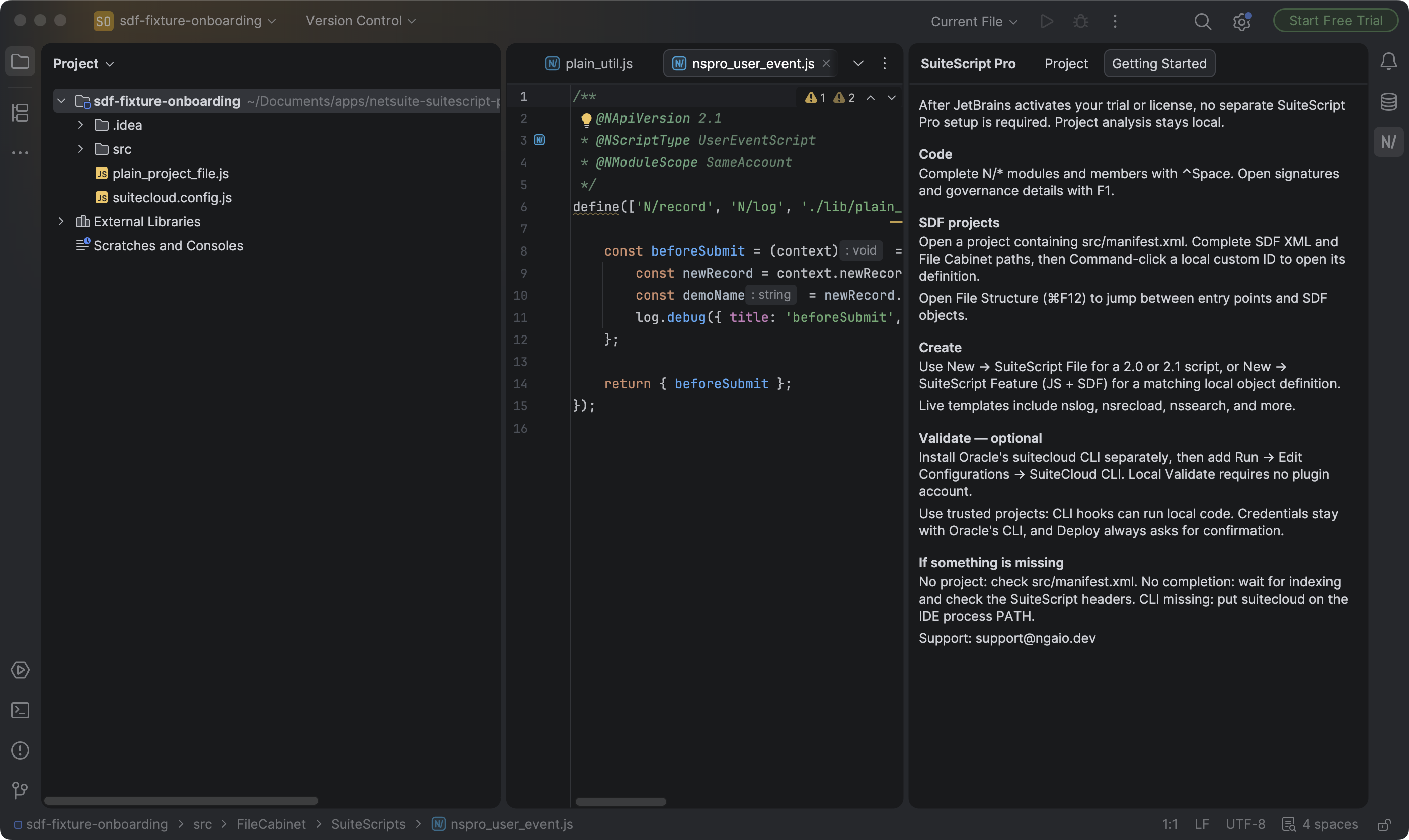
Complete supported APIs, read documentation and follow local SDF references, right in your editor.
See what is new in 2026.1.1. Check Marketplace for availability.
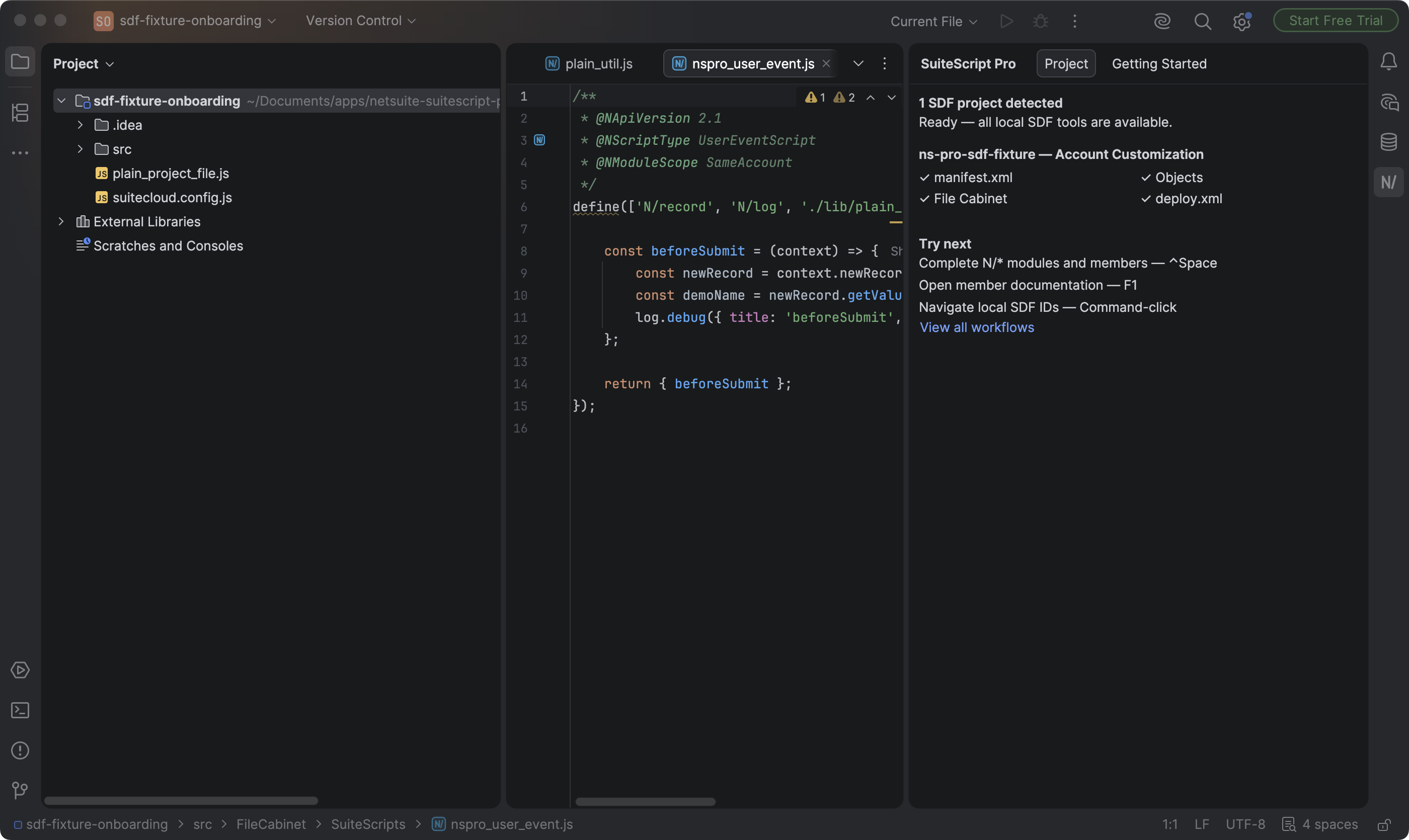
Get NetSuite-specific completion, documentation and inspections in your editor. Follow local script IDs and File Cabinet paths without searching through XML by hand.
Complete supported N/* modules, members and options. Read signatures and governance details offline.
Follow local script IDs and File Cabinet paths. Find usages and rename SDF IDs across JavaScript, TypeScript and XML.
Check entry points, API versions and imports as you edit. See estimates for supported governance costs.
Create SuiteScript files and paired SDF objects with the right entry-point structure.
Follow supported TypeScript source files to the JavaScript your project compiles.
Run configured Jest tests, rerun failures and open local coverage reports from the IDE.
Open a folder containing src/manifest.xml. SuiteScript Pro detects the SDF project and reports which core project parts are present. There is no separate plugin account or project import.
In a SuiteScript file, complete N/* imports and module members, inspect signatures and governance with Quick Documentation, and jump between entry points with File Structure. The built-in guide keeps the shortcuts and workflows close by.
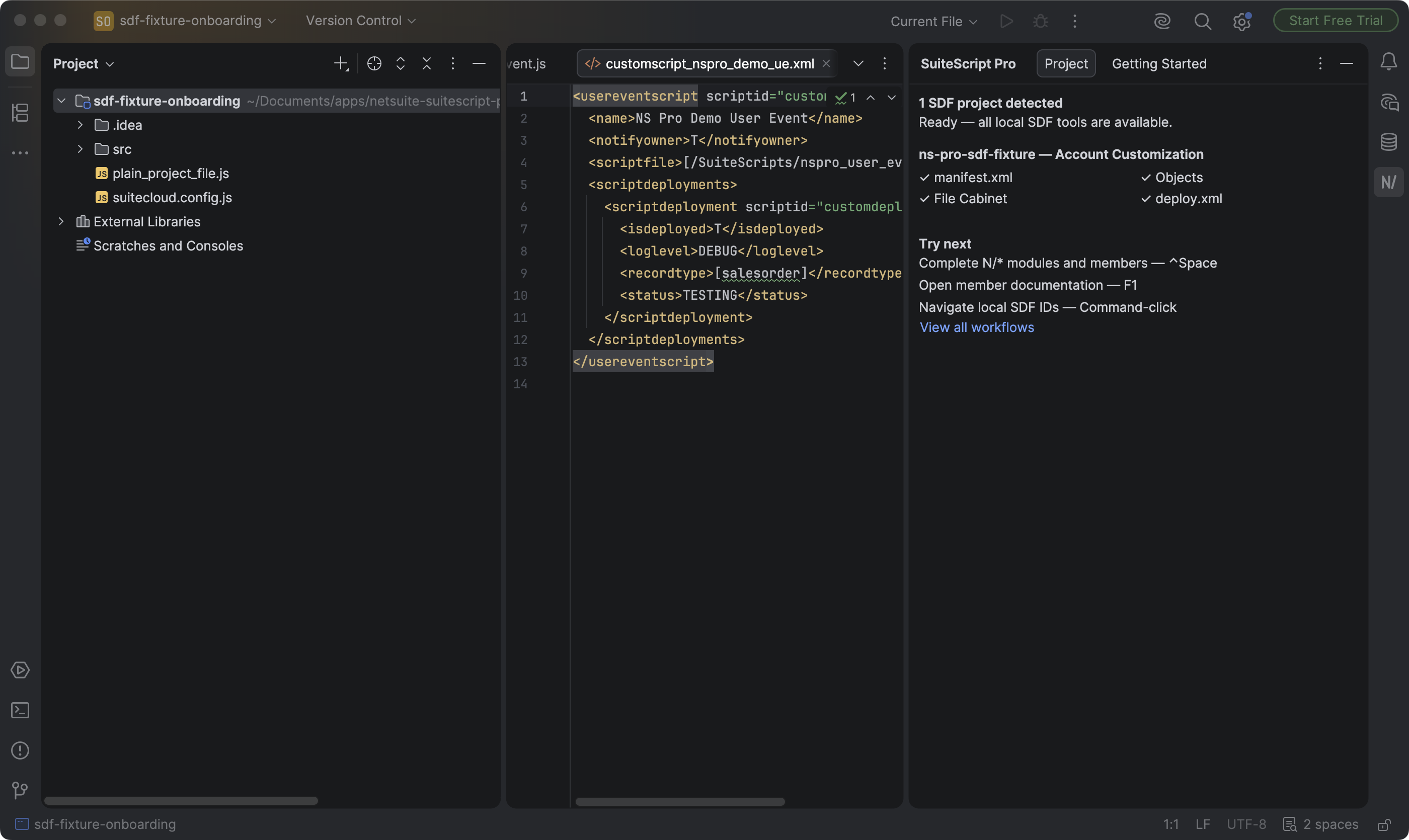
Work in SDF XML with local object IDs and File Cabinet paths available to the editor. Use Go to Declaration on a supported local ID to open its definition.
Editor analysis runs on your computer, with no Ngaio telemetry or source-code upload. JetBrains handles licensing. Jest and SuiteCloud commands run external tools that you configure.
Validate and Deploy use Oracle's separately installed SuiteCloud CLI and your own account. Local editor tools work without it. Deploy asks for confirmation.
Completion, documentation and local SDF tools work without an account. Direct account connections, live metadata, Records and SuiteQL are not included in this release.
JetBrains Marketplace handles the trial and license. Check the listing for current pricing and compatibility.
SuiteScript Pro adds supported NetSuite APIs, governance details, entry-point checks and local SDF references to the editing tools you already use.
Built for IntelliJ IDEA, WebStorm and PhpStorm. Version 2026.1.1 passed automated compatibility checks on 2024.1 and 2026.2.1. Check Marketplace for the compatibility list of the version you install.
No. Editor analysis runs locally, and the plugin has no Ngaio backend or telemetry. JetBrains may perform Marketplace license checks. If you choose to run Oracle's SuiteCloud CLI, that separate tool controls its own authentication and network calls.
No. Completion, documentation, SDF discovery, navigation, templates, inspections, and structure support work without it. Install Oracle's CLI separately only if you want Validate or Deploy run configurations.
No. API coverage is curated, and governance figures are estimates. SuiteScript 1.0 support provides diagnostics and documentation, not automatic conversion.
No. SuiteScript Pro is an independent Ngaio product and is not affiliated with or endorsed by Oracle.