FAQ
Does it run or test my scripts in the IDE?
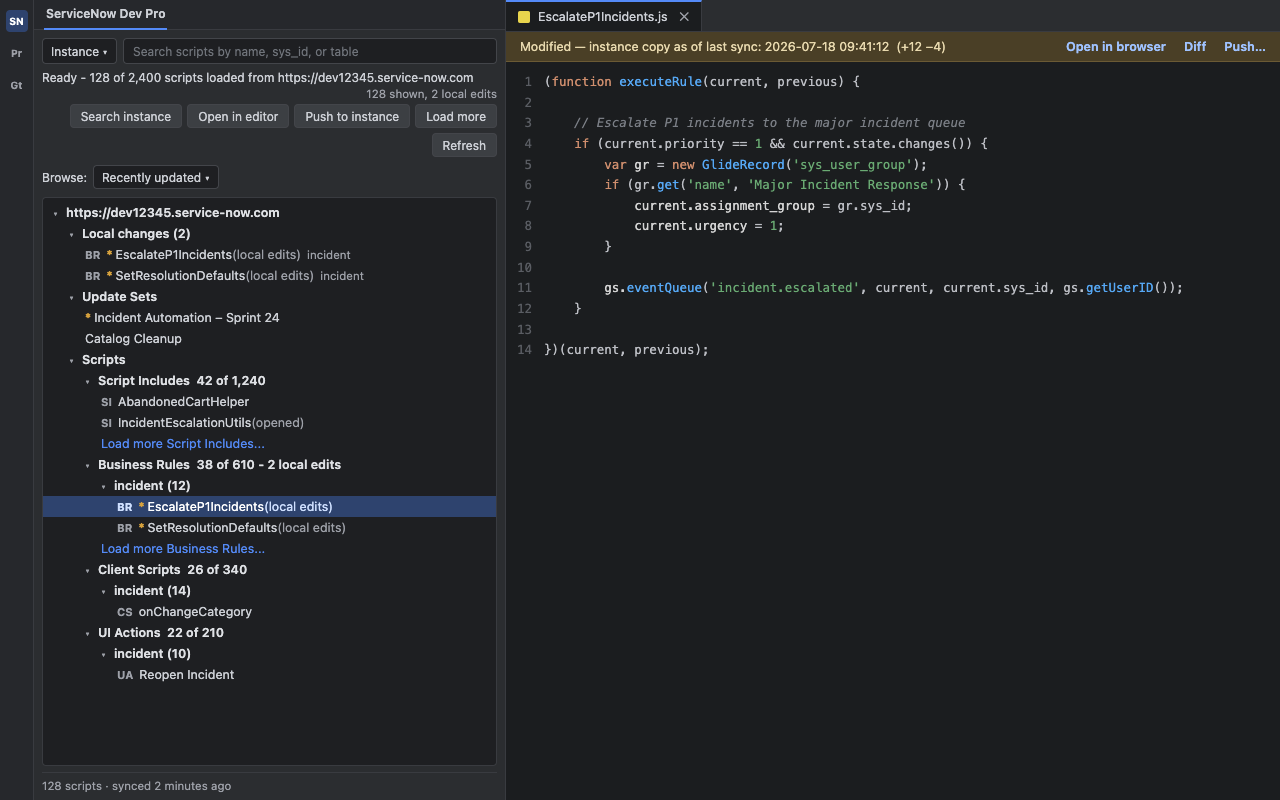
No, and that's by design. ServiceNow Dev Pro is an editor bridge: it pulls a script's text into your IDE, lets you edit it, and pushes it back over the Table API. Your scripts still run on your ServiceNow instance — a Business Rule fires on the server, a Client Script runs in the ServiceNow form. To execute one, open the record in ServiceNow or use Scripts - Background.
Which IDEs and versions are supported?
IntelliJ-platform IDEs on build 2024.1 or newer — IntelliJ IDEA (Community and Ultimate), WebStorm, PhpStorm, and other JetBrains IDEs built on the platform.
What authentication does it use?
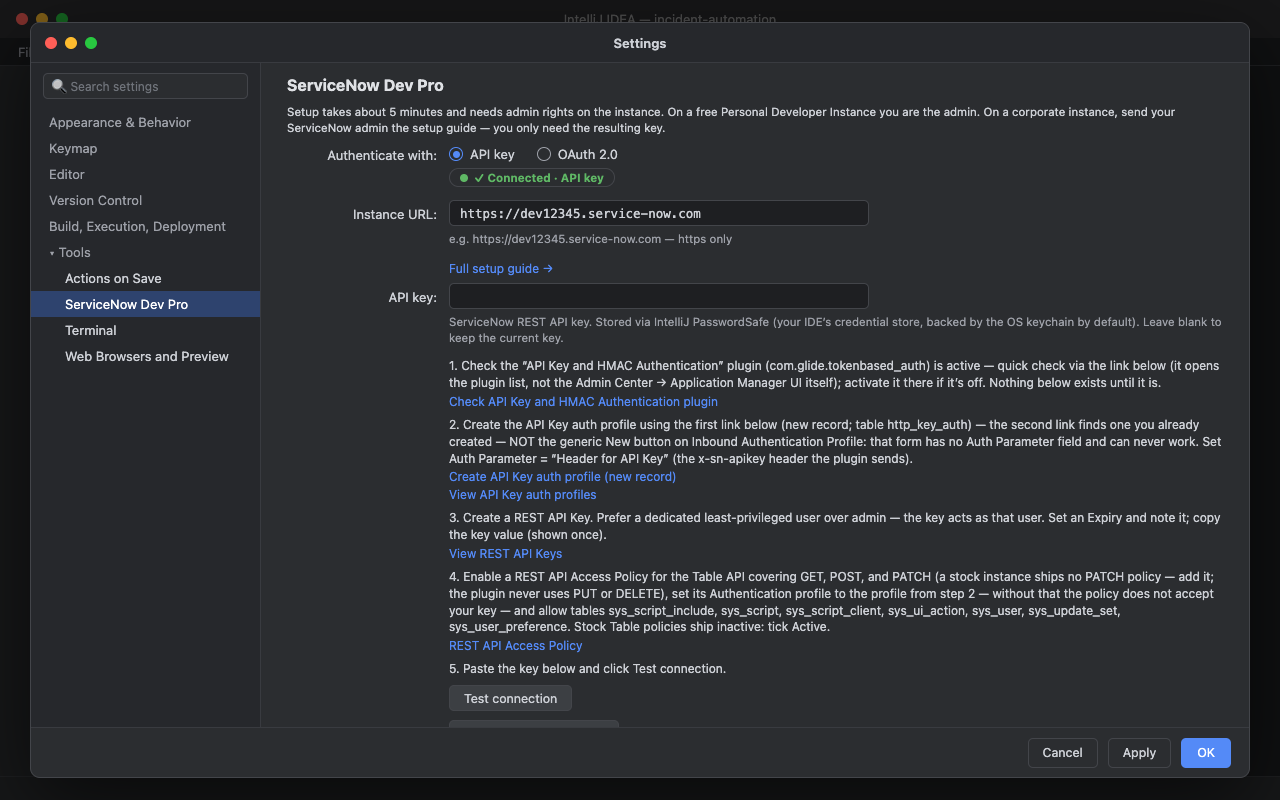
Two passwordless modes — the plugin never collects, stores, or transmits your ServiceNow account password. An API key (simplest, recommended for PDIs and dev instances) sent under a dedicated header, or OAuth 2.0 as a public client (Authorization Code with PKCE, no client secret required) with one-click browser sign-in. Both need an admin to create a record on the instance first — an API Key auth profile and REST API key for the first, an Application Registry endpoint for the second — see the setup guide for exact steps.
Do I need a ServiceNow Store app or admin rights?
No ServiceNow Store app is involved — the plugin talks to the standard Table API. You do need a ServiceNow admin for initial setup: creating the API key auth profile and key (or, for OAuth, registering the Application Registry endpoint) are admin-only actions, though the resulting REST API Access Policy can then be scoped to a least-privileged user (governed by your instance's ACLs) rather than admin. On a free PDI you are the admin, so this is a one-time five-minute setup you do yourself; see the setup guide.
Which records can I edit?
Script Includes (sys_script_include), Business Rules (sys_script), Client Scripts (sys_script_client), and UI Actions (sys_ui_action). You browse, open, edit, and push these four server-script tables.
Where are my credentials stored?
In IntelliJ's PasswordSafe, which delegates to your operating system's secure credential store by default. Your API key and OAuth secrets are never written to project files, logs, or the plugin descriptor — and the plugin never asks for your ServiceNow account password in the first place.
What about my data and privacy?
The plugin connects only to the ServiceNow instance you configure. There are no Ngaio servers, no third-party analytics, and no telemetry. Read the Privacy Policy for the full Ngaio terms.
How is this different from the official VS Code extension?
It does the same core job — edit ServiceNow server scripts in a real editor — but natively in JetBrains. If you already live in IntelliJ IDEA, WebStorm, or PhpStorm for your other work, you stay there instead of switching to VS Code just for ServiceNow.
How much does it cost?
Nothing — version 1.0.0 is free to install and use, with no trial period and no license key. If a paid tier is introduced in a future version it will be announced on this page first and handled through JetBrains Marketplace.