IntelliJ Marketplace plugin

Bitbucket and GitHub pull request review, inside IntelliJ.

Pull Request Viewer brings the whole review into IntelliJ IDEA — native diffs, threaded comments, file-aware checklists, per-file review tracking, approvals, and build status. Works with Bitbucket Cloud and GitHub: connect one or both and switch between them without leaving the panel.

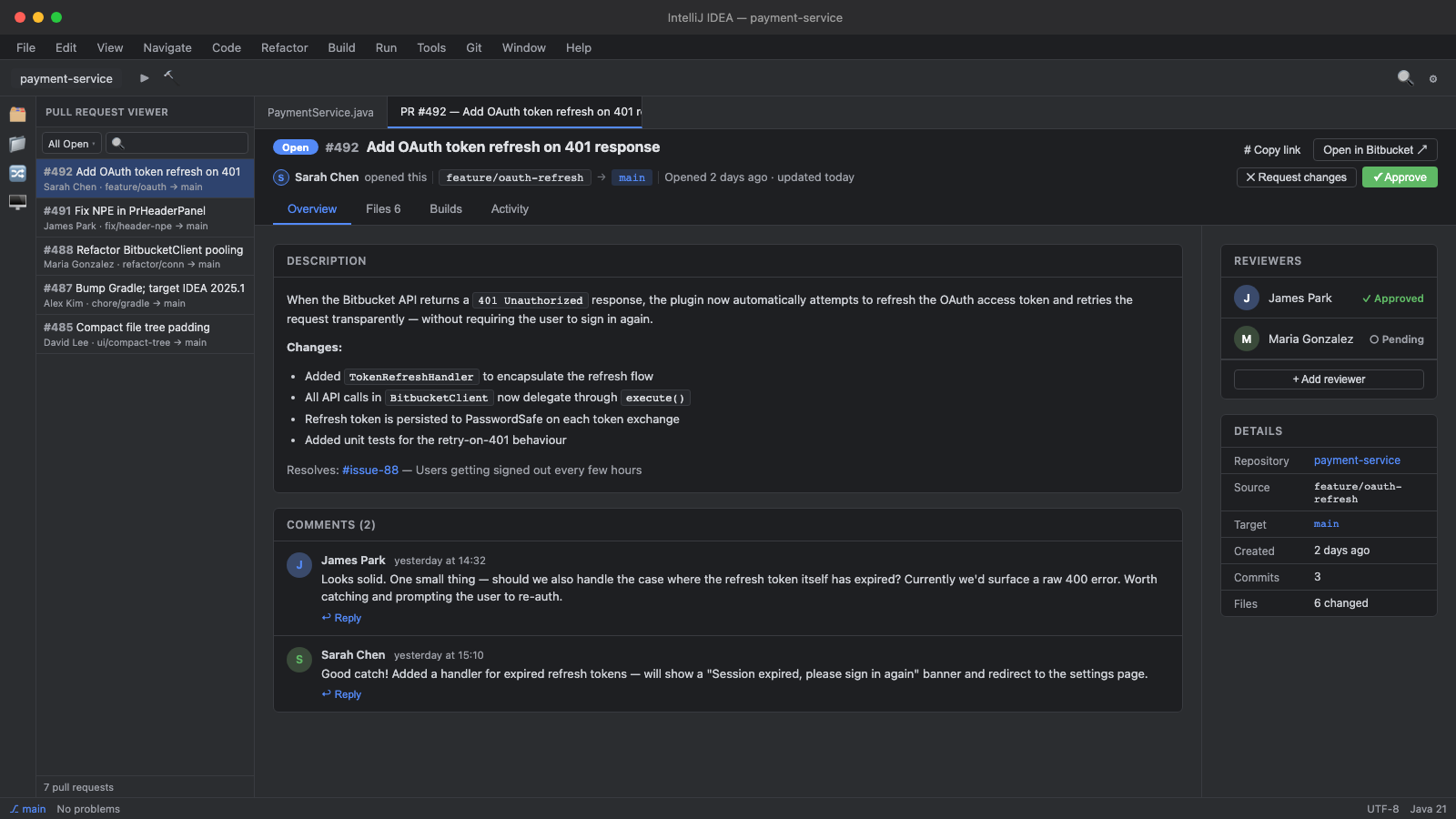
Pull Request Viewer overview tab inside IntelliJ IDEA

Ngaio is an independent app studio building clean, useful software across platforms. We care about performance, careful design, and tools that remove everyday friction without adding ceremony.


Bitbucket Cloud & GitHub · IntelliJ IDEA 2024.3+

Pull Request Viewer

Review Bitbucket Cloud and GitHub pull requests without leaving IntelliJ IDEA. Browse PRs, read native side-by-side diffs, reply to threaded comments, track which files you've reviewed, work through file-aware checklists, approve or request changes, and check pipeline or Actions status without switching to a browser.

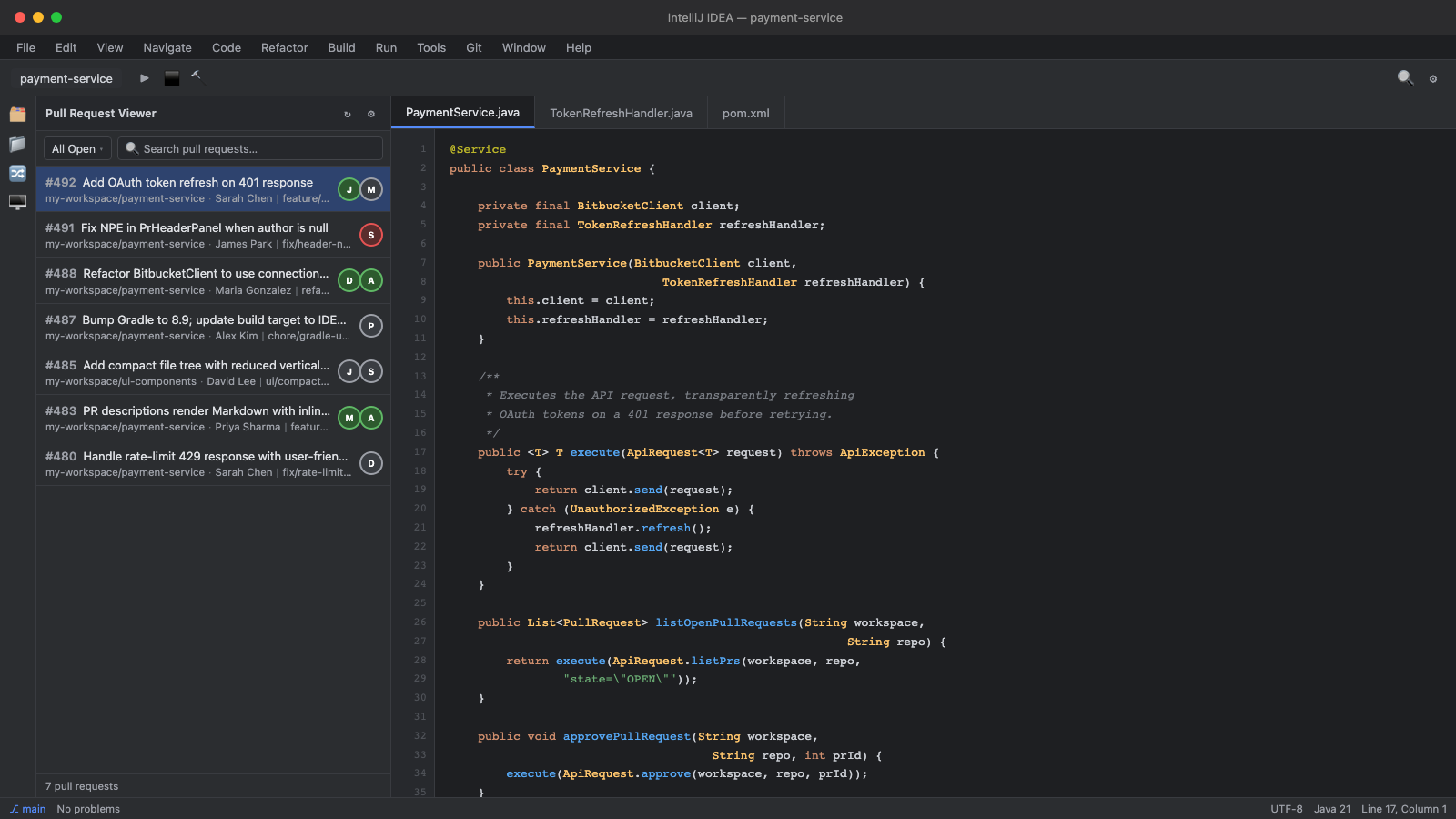
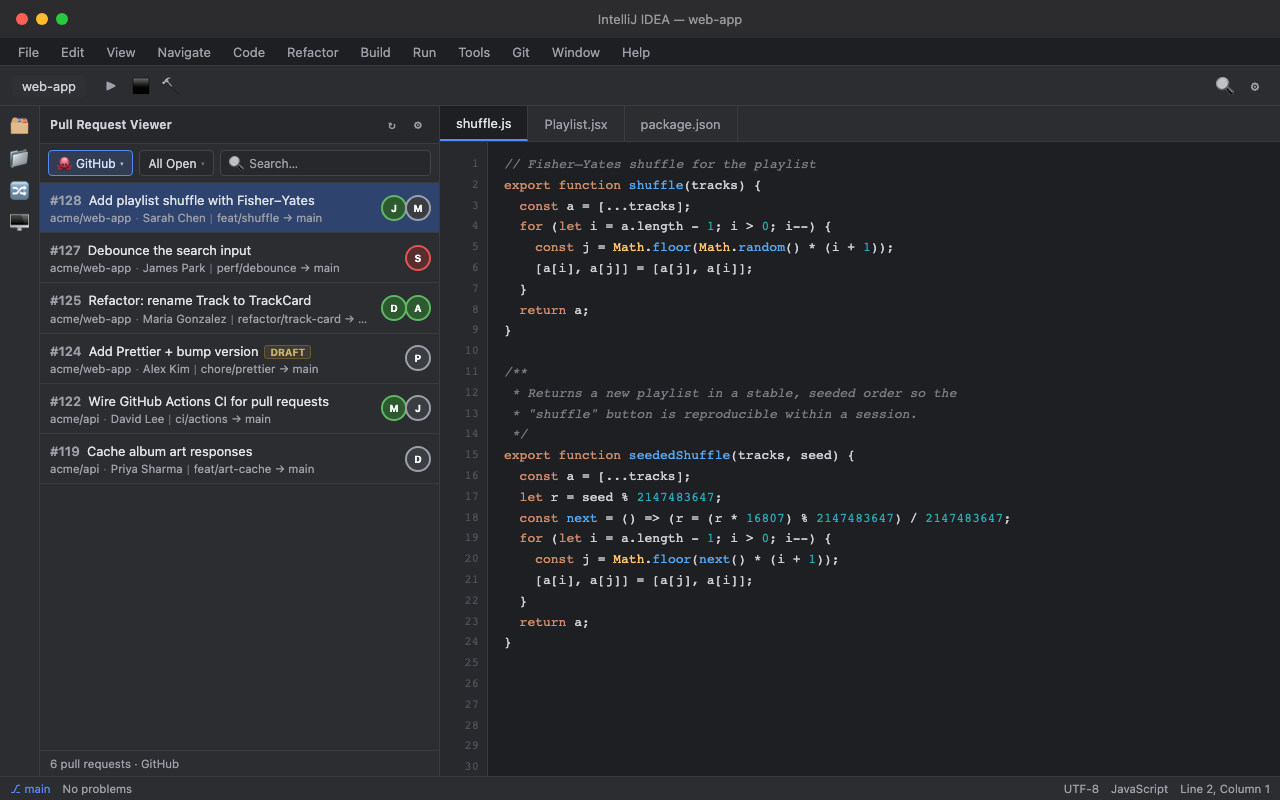
Pull Request Viewer pull request list in the IntelliJ sidebar

One queue for Bitbucket and GitHub

Browse open pull requests across one or several repositories. Filter by All Open, Needs My Review, or My PRs, search by title, and flip the source switcher between Bitbucket and GitHub when both are connected.

Diffs in IntelliJ's diff viewer

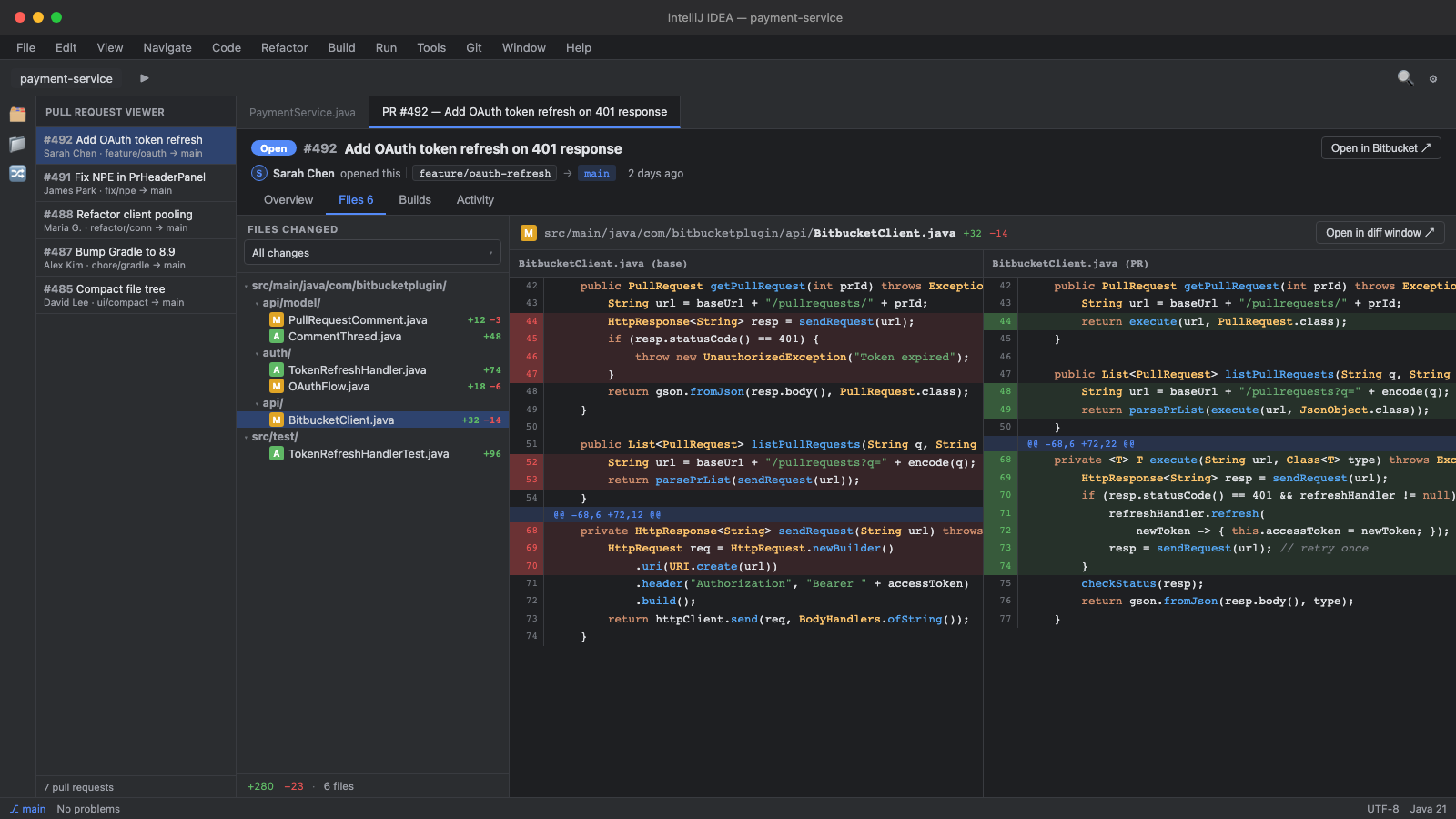
Changed files open in IntelliJ's native side-by-side diff with syntax highlighting, line numbers, and scroll sync.

Line comments where the code lives

Inline comment threads appear in the diff. Reply to existing discussions, edit your own comments in place, or start a new comment from the gutter or context menu.

Never lose your place

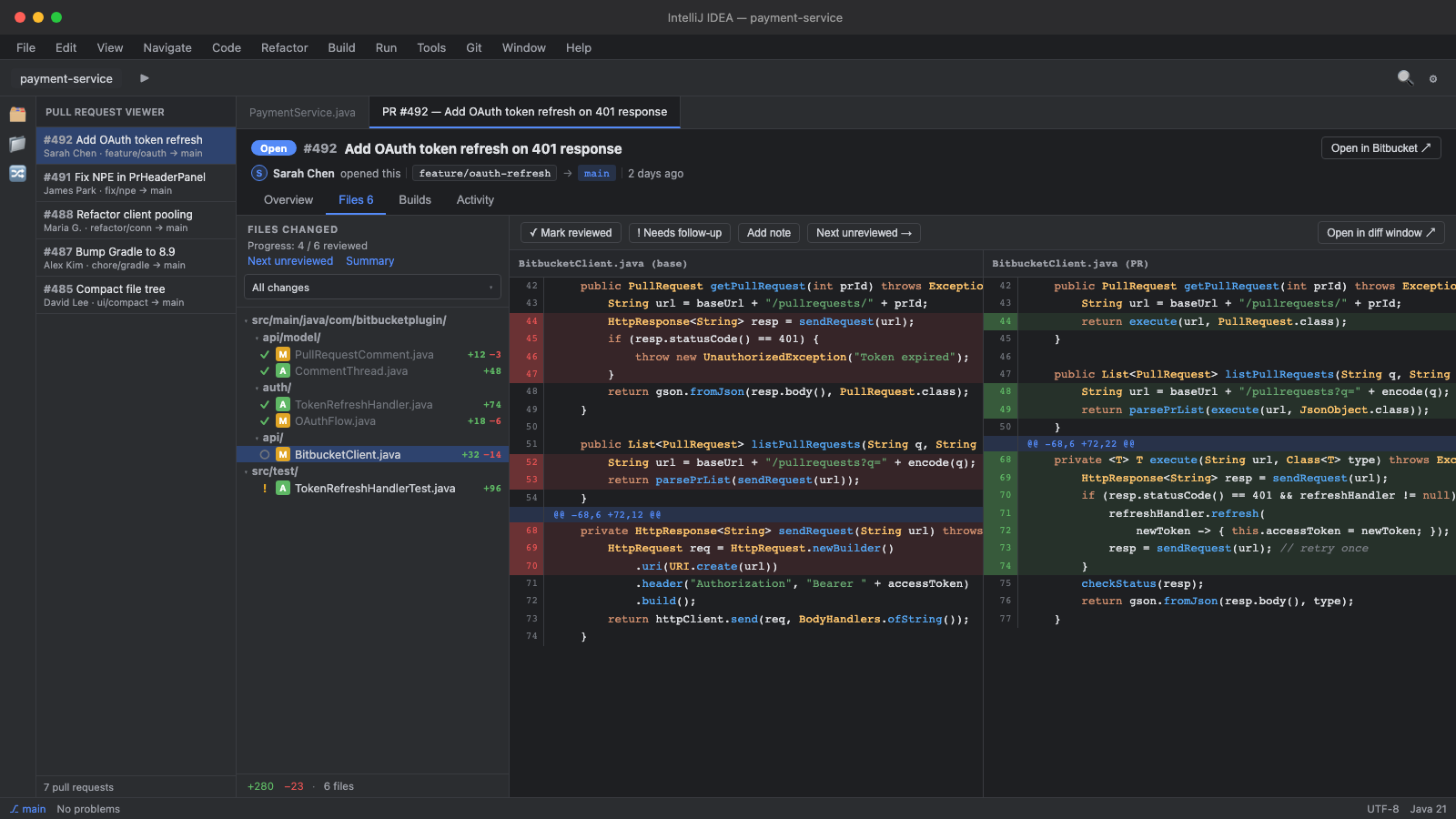
Mark each file reviewed, needs follow-up, or skipped. A progress count and a one-click Next unreviewed jump keep big PRs moving, and your marks are saved per pull request.

Checklists matched to your changes

File-aware checklist templates attach to a PR based on what changed — migration, API contract, security, and more. Tick items off, post a summary, and edit every template.

Changed-since-review flags

When the author pushes new commits, files you'd already reviewed are flagged changed since review, so nothing slips through on the second pass.

Reusable review comments

Keep a library of the notes you write over and over and drop them into any compose box from the Insert snippet menu. Add or remove reviewers without opening a browser.

Approvals, builds, and activity

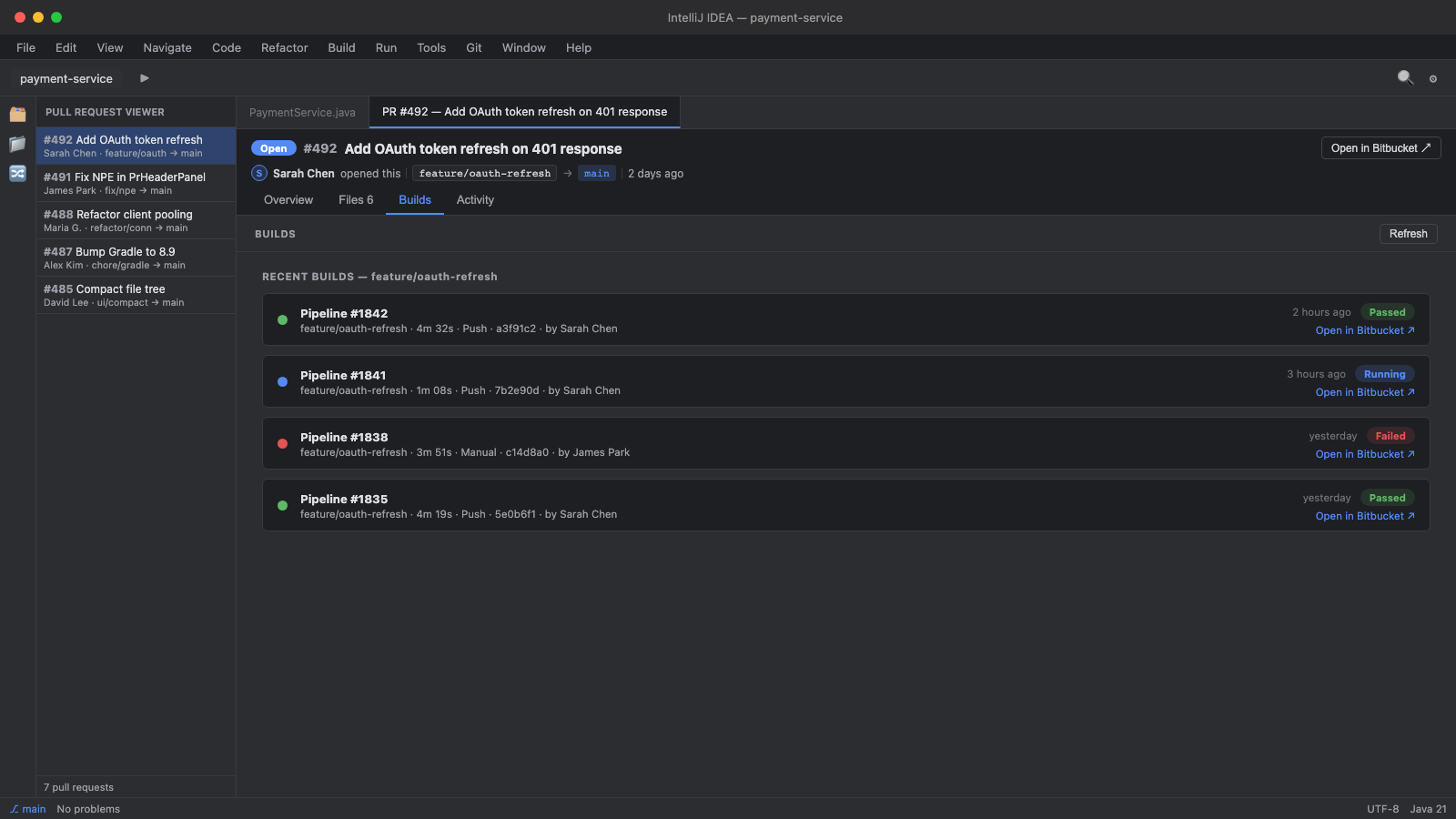
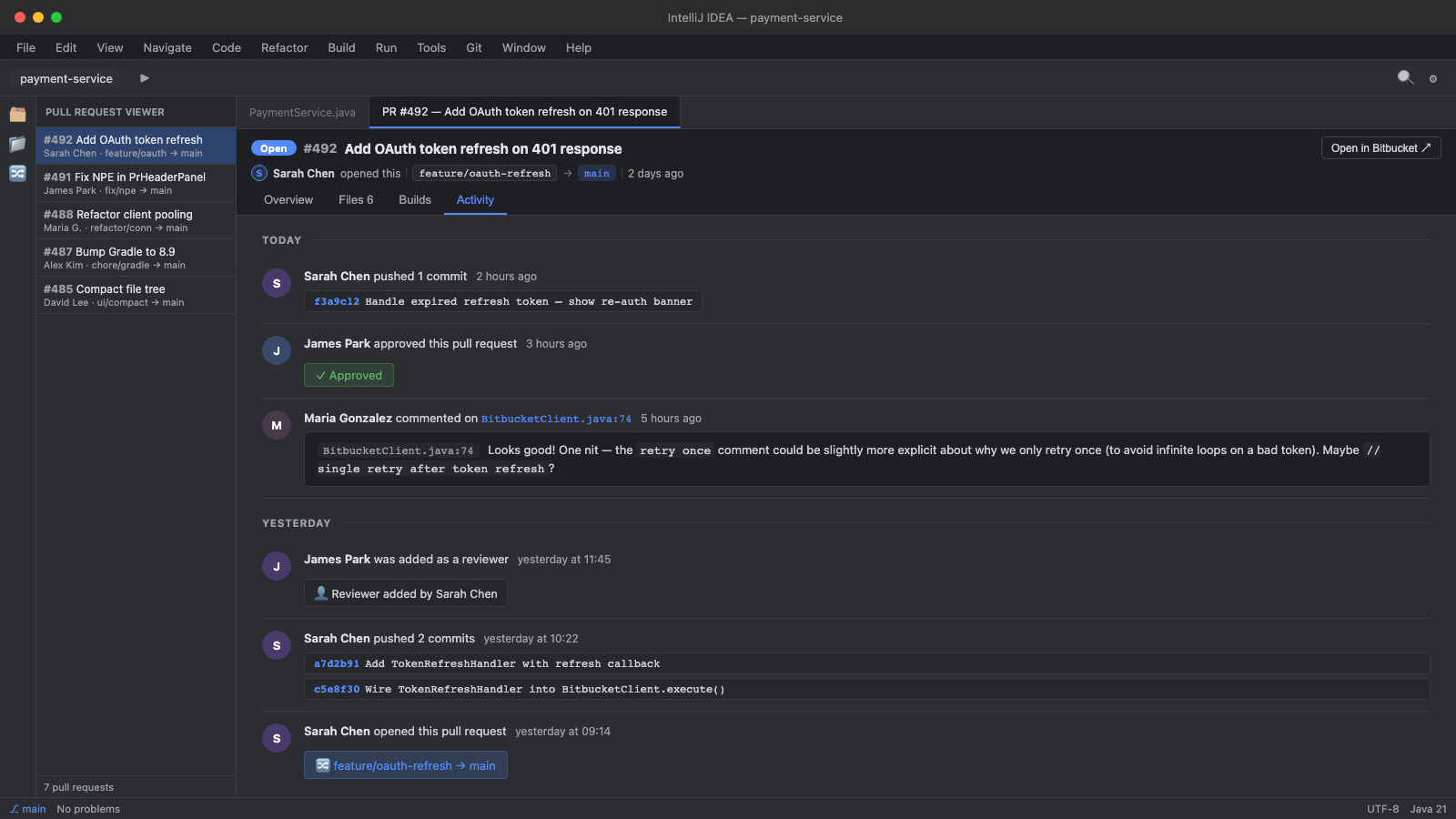
Approve or request changes from the PR header. Watch Bitbucket Pipelines or GitHub Actions status — refreshing live while a build runs — and the full PR activity feed one tab away.

01

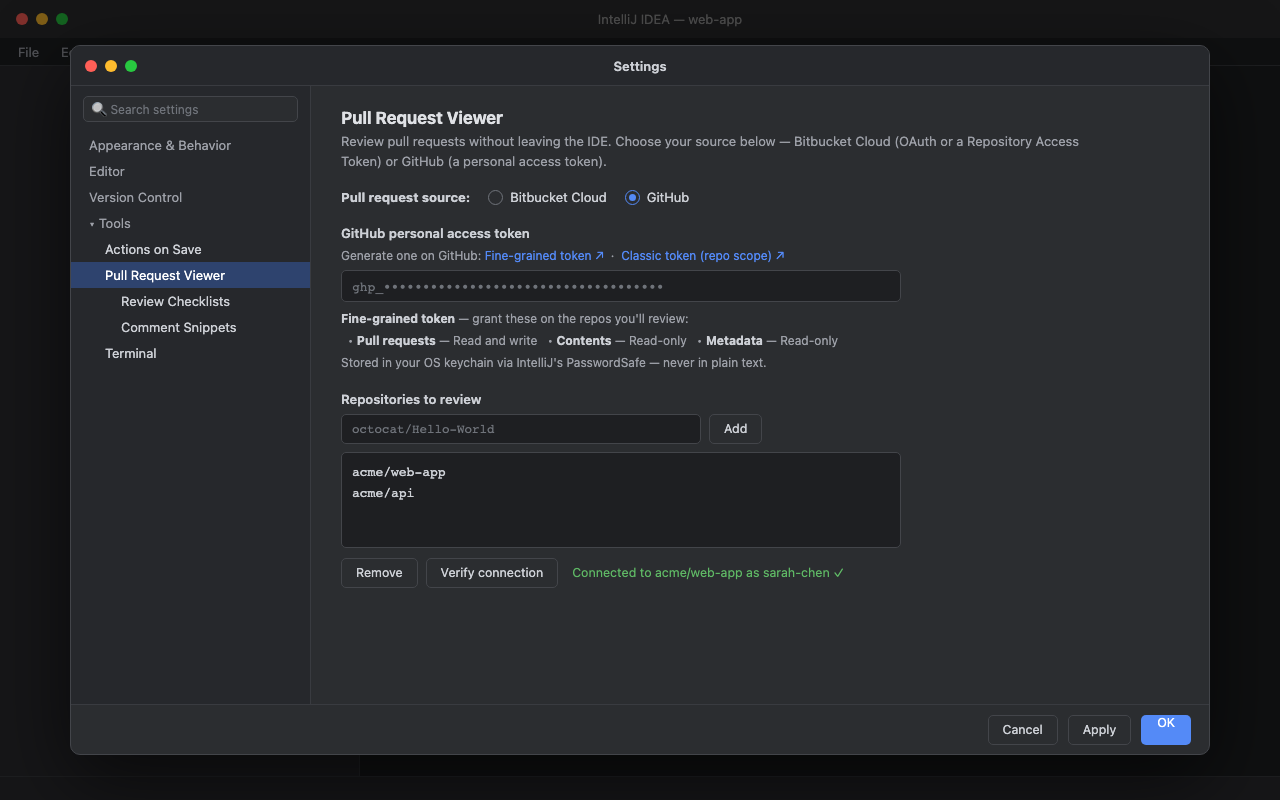
Connect Bitbucket or GitHub

Open Settings -> Tools -> Pull Request Viewer and pick your source. For Bitbucket, sign in with Atlassian for OAuth or paste a repository access token; for GitHub, paste a personal access token. Add your repositories, connect both providers if you use both, and credentials are stored in IntelliJ's credential store through your OS keychain.

Pull Request Viewer settings with a Bitbucket Cloud and GitHub source toggle and GitHub token fields
02

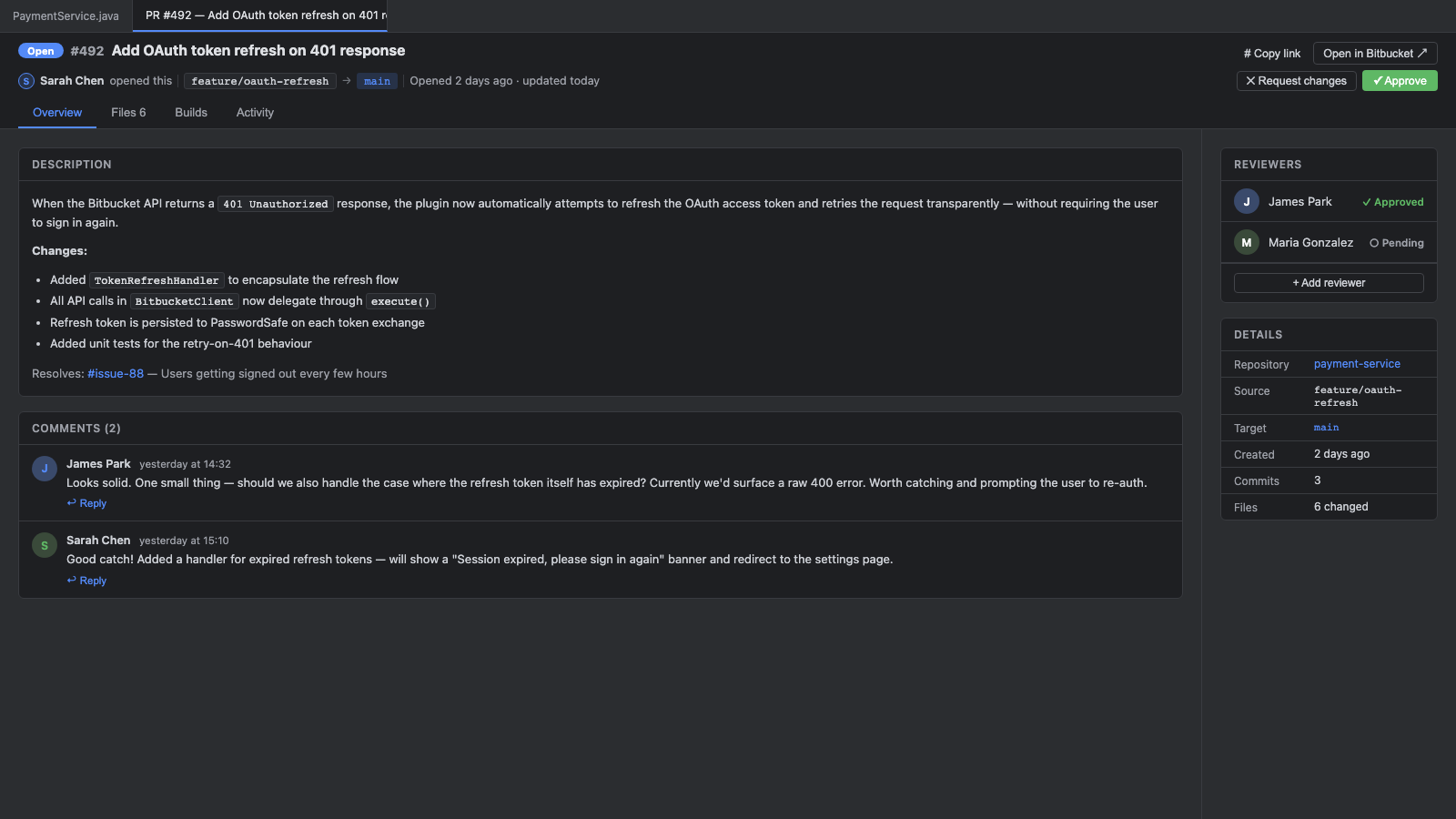
Open the PR in an editor tab

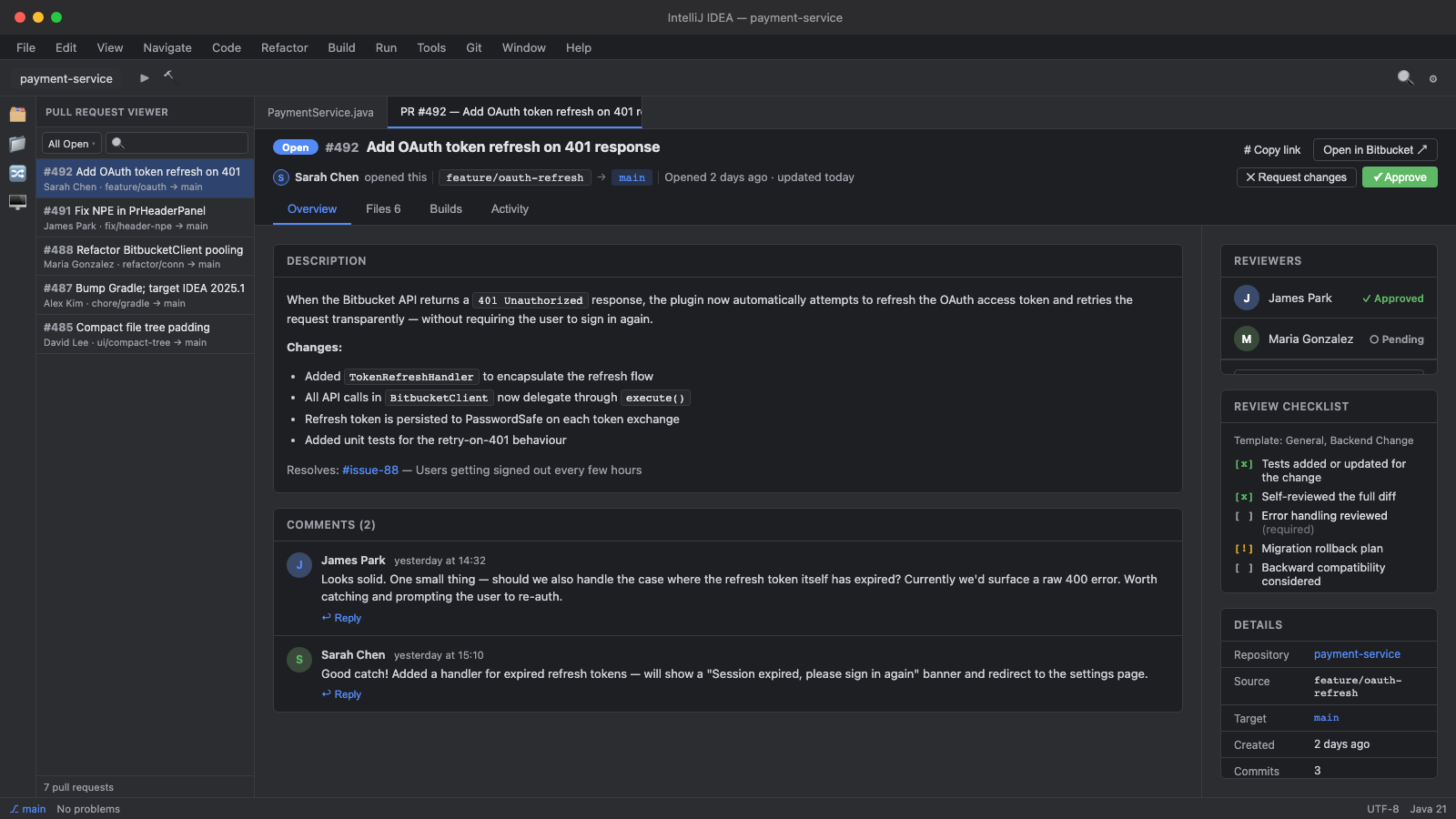
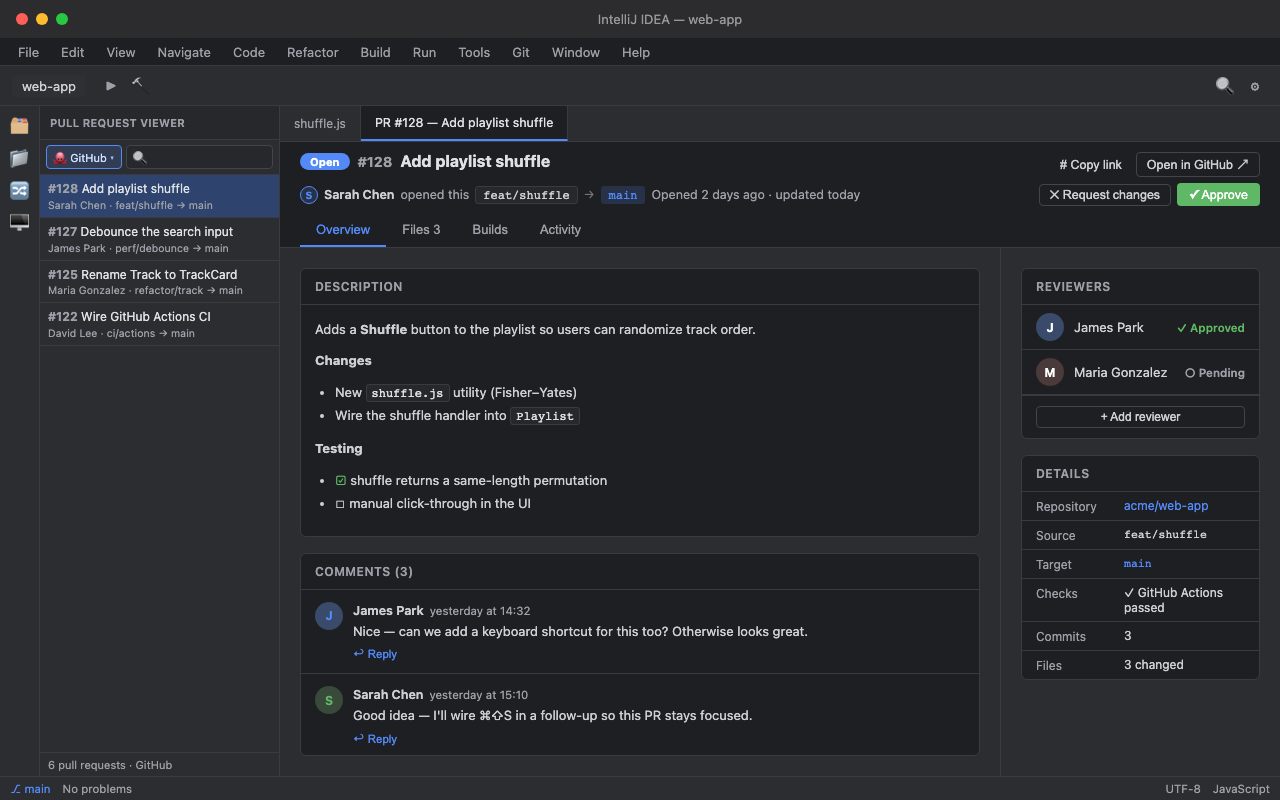
The PR opens like a file, with Overview, Files, Builds, and Activity tabs. Descriptions render Markdown formatting and inline images, and reviewer controls stay close to the review.

Pull request overview with threaded comments and reviewer controls
03

Review, comment, and share

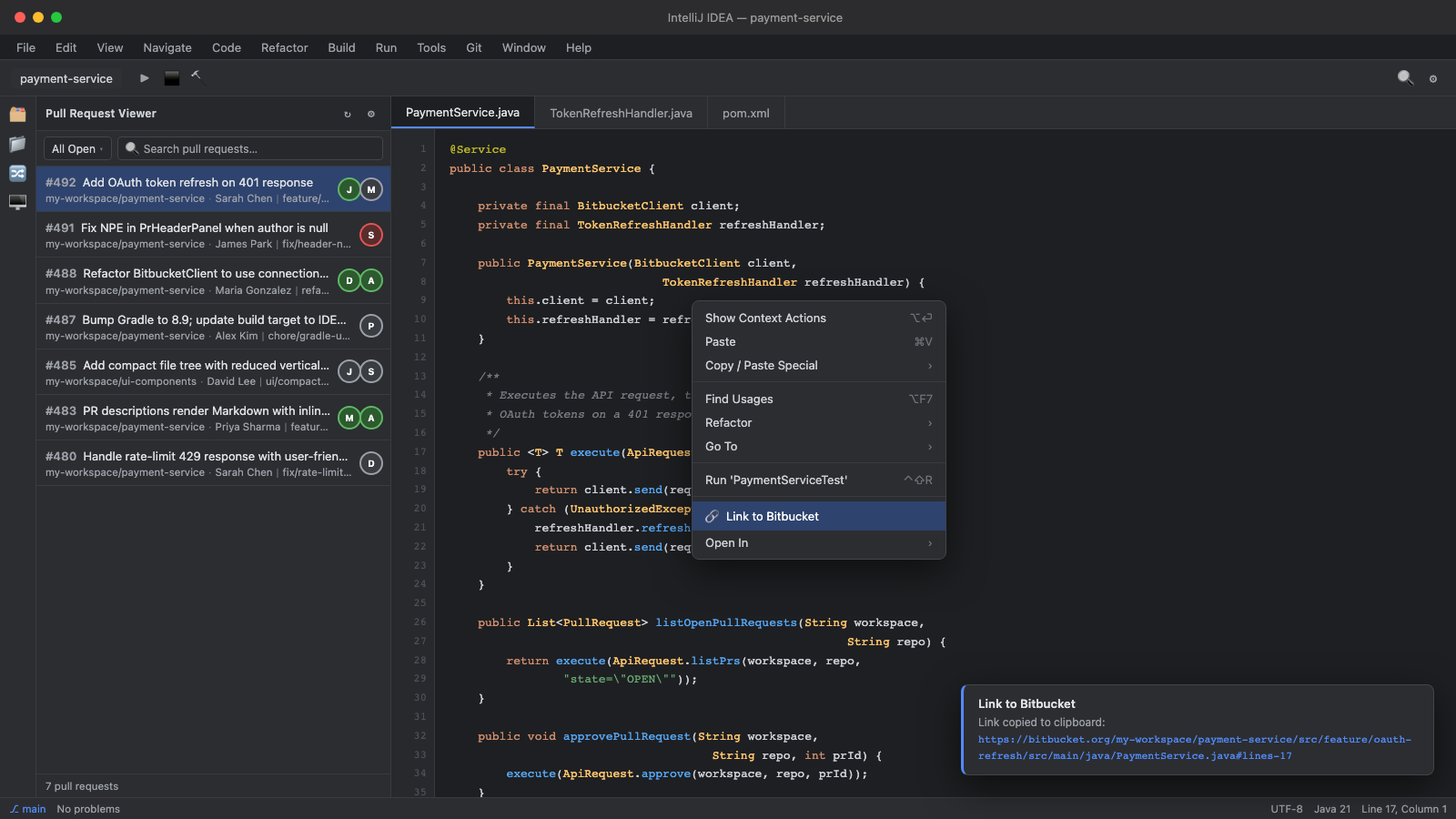
Open changed files in the native diff, reply to inline threads, edit your own comments in place, and use Link to Bitbucket or Link to GitHub to copy a deep link for any file and line on your current branch.

Files tab showing a side-by-side diff with inline pull request comments
04

Track what you've reviewed

Mark each file reviewed, needs follow-up, or skipped as you go. A progress count and a one-click Next unreviewed jump keep a 40-file PR moving, and your marks are saved per pull request — close the IDE, come back tomorrow, and pick up where you stopped. New commits flag files as changed since review.

Files tab with per-file review status markers, progress count, and Next unreviewed control
05

Turn your standards into checklists

Checklist templates attach to a PR based on which files changed — a migration shows the migration checklist, an API change shows the API-contract one. Built-ins cover General, Backend, Database Migration, API Contract, Security, Frontend, and Infra, and every one is editable. Tick items off, post a summary, and get a reminder before you approve if a required item is still open.

Pull request overview with a review checklist matched to the changed files

$15 per user / year, with a 30-day free trial — no card to start. Install from the Marketplace and the full plugin is yours to evaluate for 30 days; keep using it with a license after that. Billing and licenses are handled by JetBrains Marketplace.


Does it work with both Bitbucket and GitHub?

Yes. Pick your source in Settings -> Tools -> Pull Request Viewer — Bitbucket Cloud or GitHub. Connect both and a source switcher appears in the tool window so you can flip between them without reopening Settings.

Does it work with Bitbucket Server / Data Center, or GitHub Enterprise Server?

Not yet. The plugin talks to the Bitbucket Cloud API (api.bitbucket.org) and the GitHub API (api.github.com), so it works with bitbucket.org and github.com repositories. GitHub Enterprise Server support is planned.

Can I merge or decline a PR from the IDE?

No, and that's deliberate. The plugin covers review work: reading diffs, commenting, approving, or requesting changes. Merging stays on Bitbucket or GitHub, where branch permissions and merge checks are enforced.

Can I track which files I've already reviewed?

Yes. Mark each file reviewed, needs follow-up, or skipped, and use Next unreviewed to jump through what's left. Your marks are saved per pull request, so you can stop and resume later. When the author pushes new commits, files you'd already reviewed are flagged as changed since review.

What are the review checklists?

Checklist templates attach to a PR based on which files changed — a migration shows the migration checklist, an API change shows the API-contract one. Built-ins cover General, Backend, Database Migration, API Contract, Security, Frontend, and Infra, and every template is editable. You can tick items off, post a summary as a comment, and get a reminder before approving if a required item is still open.

Where are credentials stored?

Credentials are stored locally through IntelliJ's PasswordSafe, which delegates to your operating system's secure credential store.

Can I watch more than one repository?

Yes. Add multiple repositories in Settings, then view them together or filter the PR list to a single repository. Bitbucket and GitHub each keep their own repository list.

How much does it cost?

$15 per user per year, with a 30-day free trial — the full plugin, no card to start. Billing and licenses are handled by JetBrains Marketplace, where tax is added at checkout.